
Back to blog
Crypto Basics

What is BscScan and How Does it Work?

Discover the inner workings of BscScan and how it serves as an essential tool for monitoring Binance Smart Chain transactions and assets in this guide.
S. Vishwa
11 Minutes
Want Smarter Crypto Picks—Free?
See unbiased Token Metrics Ratings for BTC, ETH, and top alts.
Thank you! Your submission has been received!
Oops! Something went wrong while submitting the form.
 No credit card | 1-click unsubscribe

Click here to buy Cryptocurrencies from Gate.io

Blockchain technology has revolutionized the world of finance and decentralized applications. As the popularity of cryptocurrencies grows, so does the need for reliable tools to navigate and explore different blockchain networks. 

BscScan is a tool designed explicitly for the Binance Smart Chain (BSC). In this comprehensive guide, we will delve into the intricacies of BscScan, its functionalities, and how to make the most of this powerful blockchain explorer.

What is BscScan?

BscScan is the premier blockchain explorer for the Binance Smart Chain (BSC), developed by the same team responsible for creating Etherscan. Launched in 2020, BSC has rapidly gained popularity as a scalable and efficient blockchain network for decentralized applications and digital assets. 

BscScan provides users with a comprehensive view of the BSC ecosystem, allowing them to explore wallet addresses, track transactions, verify intelligent contracts, and analyze token data.

As a blockchain explorer, BscScan acts as a search engine for the BSC network, providing real-time information about transactions, blocks, addresses, and smart contracts. 

It offers a user-friendly interface that makes navigating and extracting valuable insights from the BSC blockchain accessible. Whether you are a developer, investor, or blockchain enthusiast, BscScan is an indispensable tool for interacting with the BSC network.

Understanding BscScan's Features

Real-Time Transaction Tracking

One of the core functionalities of BscScan is its ability to track transactions on the Binance Smart Chain in real time. By entering the transaction hash or wallet address, users can retrieve detailed information about a specific transaction, including the transaction amount, date, block number, balances, transaction fees, and status. 

This feature is handy for individuals who want to monitor the progress of their transactions or verify the authenticity of a particular transaction on the BSC network.

Exploring Wallet Addresses

BscScan allows users to explore wallet addresses on the Binance Smart Chain, providing a comprehensive overview of transaction history, token balances, and other relevant information. 

Users can access details such as BNB balance, BEP-20 token holdings, transaction data, and more by entering a wallet address into the search bar. 

This feature enables users to gain insights into the activity of specific wallets and track the movement of digital assets on the BSC network.

Smart Contract Verification

Smart contracts are an integral part of the Binance Smart Chain ecosystem, enabling the creation and execution of decentralized applications. 

BscScan offers an intelligent contract verification feature, allowing users to verify the authenticity and integrity of smart contracts deployed on the BSC network. 

By comparing the compiled code of a smart contract with the code running on the blockchain, users can ensure that the contract functions as intended and mitigate the risk of potential vulnerabilities or malicious activities.

Token Tracking and Analysis

BscScan allows users to track and analyze tokens on the Binance Smart Chain. Users can access information about the top BEP-20 tokens, including prices, volume, market capitalization, number of holders, and cross-chain compatibility. 

Additionally, BscScan supports ERC-721 and ERC-1155 tokens, making it possible to explore and track non-fungible tokens (NFTs) on the BSC network. 

This feature is invaluable for investors and traders looking to stay updated on the performance and trends of different tokens within the BSC ecosystem.

Gas Price Monitoring

Gas fees are essential to any blockchain network, including Binance Smart Chain. BscScan offers a gas price monitoring feature, allowing users to view real-time information about gas fees on the BSC network. 

By monitoring gas prices, users can make informed decisions about transaction fees and navigate the network efficiently. This feature is handy during periods of high network congestion when gas fees tend to fluctuate.

Using BscScan: Step-by-Step Guide

BscScan provides a user-friendly interface that makes it easy for users to navigate and extract valuable information from the Binance Smart Chain. In this step-by-step guide, we will walk you through using BscScan's key features.
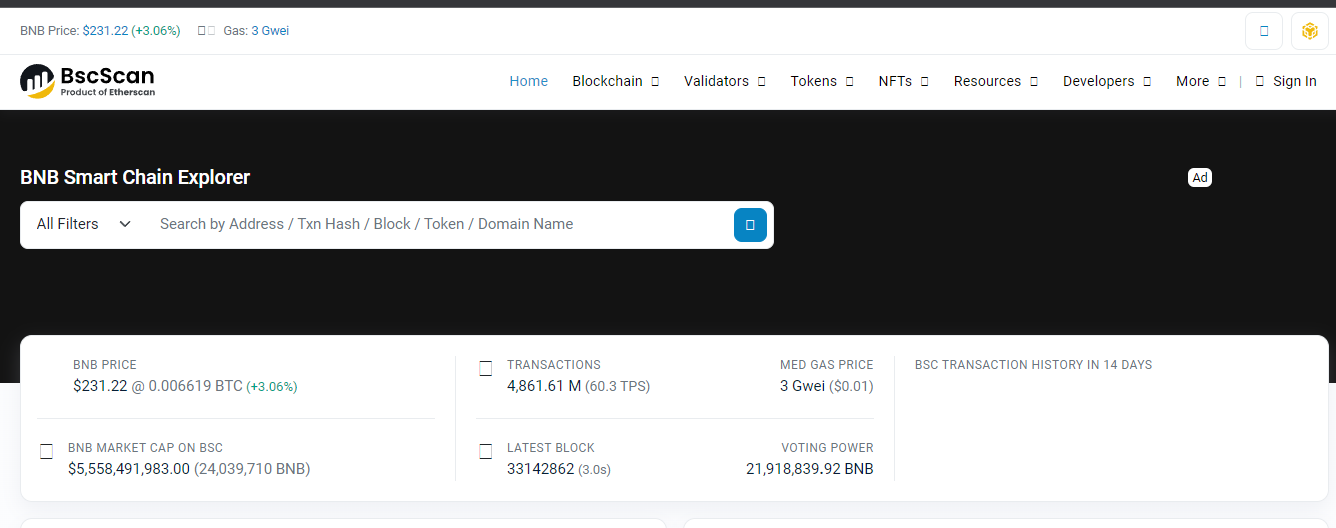
BscScan

Checking Transactions on BscScan

  • Visit the BscScan website at bscscan.com.
  • In the search bar at the top of the page, enter the transaction hash or wallet address you want to investigate.
  • BscScan will query its database and display detailed information about the transaction, including the transaction amount, date, block number, balances, transaction fees, and status.
  • Take note of the transaction status, which can be pending, successful, or failed. This information will help you determine the progress and outcome of the transaction.
  • You can also explore additional details about the transaction by clicking on specific sections, such as the sender's address, recipient's address, or transaction hash.

Exploring Wallet Addresses

  • On the BscScan homepage, locate the search bar at the top of the page.
  • Enter the wallet address that you want to explore and press Enter or click the search icon.
  • BscScan will provide an overview of the wallet address, including the BNB balance and the balances of any BEP-20 tokens held in the wallet.
  • Scroll down to view the transaction history associated with the wallet address, including incoming and outgoing transactions.
  • You can click on individual transactions to access more detailed information, such as the transaction hash, block number, and transaction fee.

Verifying Smart Contracts

  • Navigate to the BscScan website and locate the "Verify Contract" section.
  • Enter the smart contract address that you want to verify.
  • Select the appropriate compiler type and open-source license type.
  • Copy and paste the Solidity contract code into the designated field.
  • Enable optimization by selecting "Yes" in the optimization dropdown menu if applicable.
  • Click the "Verify and Publish" button to initiate the contract verification process.
  • BscScan will compare the submitted code with the code running on the BSC network and provide a verification result indicating whether the contract code matches.

Tracking Tokens on BscScan

  • Access the BscScan website and navigate to the "Tokens" section.
  • Explore the top BEP-20 tokens listed on BscScan, including their prices, volume, market capitalization, and number of holders.
  • Use the search bar to find specific tokens by their contract address or token symbol.
  • Click on individual tokens for more detailed information, such as the token's contract address, token holders, transaction history, and related smart contracts.
  • BscScan also supports ERC-721 and ERC-1155 tokens, allowing users to explore and track non-fungible tokens (NFTs) on the BSC network.

Monitoring Gas Prices

  • Visit the BscScan website and locate the "Gas Tracker" section.
  • Monitor the average gas price displayed on the page.
  • Check the block size and average utilization to understand the current network congestion.
  • Scroll down to view the BSC network's top gas guzzlers and spenders.
  • Use this information to make informed decisions about gas fees and optimize your transactions on the Binance Smart Chain.

Click here to buy Cryptocurrencies from Gate.io

BscScan vs. Etherscan: Key Differences

While BscScan and Etherscan share similarities as blockchain explorers, the two platforms have some key differences. Here are the main distinctions:

  • Supported Wallets: BscScan supports a limited number of wallets (e.g., MetaMask, TrustWallet) compared to Etherscan, which supports a broader range of wallets.
  • Features: Etherscan has the advantage of offering Blockchain APIs and Crypto APIs, providing developers with more advanced functionalities for interacting with the Ethereum blockchain.
  • Focus: BscScan is designed explicitly for the Binance Smart Chain, while Etherscan caters to the Ethereum network. Each explorer prioritizes features and data relevant to its respective blockchain.

BscScan and Etherscan are reputable and reliable explorers, offering valuable insights into their respective blockchain networks.

BscScan Alternatives

While BscScan is the leading blockchain explorer for the Binance Smart Chain, several alternative explorers are available for users. Here are a few notable options:

  • Binance Chain Explorer: Developed directly by Binance, this explorer provides information about blocks, transactions, wallet balances, and BNB metadata. It is available both as a web and mobile application.
  • BitQuery Explorer: BitQuery is a comprehensive explorer that supports multiple blockchains, including Binance Smart Chain. It offers advanced search and analytics capabilities for developers and researchers.
  • Binance Explorer: Binance also provides its explorer for the Binance Smart Chain, offering similar functionalities to BscScan. It is a reliable alternative for users seeking a different interface or additional features.

These alternatives provide users with different interfaces and functionalities, allowing them to choose the explorer that best suits their needs.

Is BscScan Safe?

As a leading blockchain explorer, BscScan is developed by the same team behind Etherscan, which has established a strong reputation in the blockchain community. 

BscScan is safe to use, as it does not require a connection to your BSC wallet and cannot access or acquire your funds. However, it is essential to exercise caution and verify that you are using the official BscScan website (bscscan.com) to avoid potential phishing attempts. 

Always double-check the URL and ensure that you are on the correct website before entering any sensitive information.

Is BscScan Compatible with NFTs?

Yes, BscScan is fully compatible with non-fungible tokens (NFTs). Like Ethereum, the Binance Smart Chain hosts various NFT projects, taking advantage of its lower fees and higher efficiency. 

Users can track their NFTs on BscScan using the transaction hash, NFT intelligent contract address, or wallet address. However, it is essential to note that BscScan does not display the artwork contained within an NFT. 

Users must connect to a compatible marketplace or service provider supporting the specific NFT token standard to view the artwork.

Frequently Asked Questions

Q1. How to check if liquidity is locked on BscScan?

To determine if liquidity is locked for a specific token on BscScan, you can follow these steps:

  • Go to the BscScan website and navigate to the "Tokens" section.
  • Search for the token by its contract address or token symbol.
  • Scroll down to the "Transfers" section and click on the transaction hash associated with the liquidity addition.
  • Check if the liquidity pool tokens or a burn address were sent to the development wallet.
  • Verify that the development wallet does not hold any liquidity pool tokens or check if they have been transferred to a burn address.

Q2. Can BscScan be used for other blockchain networks?

No, BscScan is designed explicitly for the Binance Smart Chain and cannot be used to explore other blockchain networks. Each blockchain has its dedicated explorer, such as Etherscan for Ethereum or Blockchain for Bitcoin. 

If you need to explore a different blockchain, using the corresponding blockchain explorer for accurate and relevant information is recommended.

Q3. What are the advantages of using BscScan for yield farming?

BscScan offers several advantages for users engaged in yield farming on the Binance Smart Chain:

  • Access the latest yield farming opportunities through the "Yield Farms List" feature.
  • Detailed information about different farms, including their locations and how they work.
  • The ability to track your yield farming activities, including the tokens you have staked and the rewards you have earned.
  • Lower transaction fees compared to alternative platforms like Ethereum, making yield farming on BSC more cost-effective.

Q4. Can I revoke token approvals using BscScan?

Yes, BscScan provides the "Token Approval Checker" tool that allows users to review and revoke token approvals for decentralized applications (DApps).

Connecting your wallet to BscScan and using the Token Approval Checker lets you see which DApps can access your tokens and revoke their permissions if desired. This feature gives users more control over their token holdings and helps ensure the security of their assets.

Q5. How does BscScan ensure contract verification?

BscScan's contract verification process involves comparing the source code of a smart contract with the compiled code running on the Binance Smart Chain. 

This process ensures that the code deployed on the blockchain matches the source code provided by the developer. 

BscScan's verification process enhances transparency and security by allowing users to verify intelligent contracts' functionality and integrity independently.

Q6. What are the risks of using BscScan?

While BscScan is a reputable and reliable blockchain explorer, some risks are associated with using any online tool. It is essential to be cautious and follow best security practices when using BscScan or any other blockchain explorer:

  • Ensure you use the official BscScan website (bscscan.com) to avoid phishing attempts.
  • Double-check the URL and ensure that you are on the correct website before entering any sensitive information.
  • Be wary of fake or malicious contracts, tokens, or DApps. Always conduct thorough research and due diligence before interacting with unknown projects.
  • Keep your personal information and wallet details secure. Avoid sharing sensitive information with unknown individuals or platforms.

Q7. How can I contribute to the BscScan community?

If you are interested in contributing to the BscScan community, there are several ways to get involved:

  • Participate in discussions on the BscScan forums or social media channels.
  • Report any bugs or issues you encounter using BscScan to the development team.
  • Provide feedback and suggestions for improving the platform's features and user experience.
  • Contribute to the BscScan open-source project on GitHub if you have programming skills.

Your contributions can help enhance the functionality and usability of BscScan for the entire Binance Smart Chain community.

Conclusion

BscScan is a powerful and essential tool for navigating the Binance Smart Chain ecosystem. Whether you are an investor, developer, or blockchain enthusiast, BscScan provides valuable insights into the BSC network's transactions, smart contracts, tokens, and gas prices. 

By leveraging BscScan's features, you can make more informed decisions, track your investments, and ensure the security of your digital assets. Explore BscScan today and unlock the full potential of the Binance Smart Chain.

Disclaimer

The information provided on this website does not constitute investment advice, financial advice, trading advice, or any other advice, and you should not treat any of the website's content as such.

Token Metrics does not recommend that any cryptocurrency should be bought, sold, or held by you. Conduct your due diligence and consult your financial advisor before making investment decisions.

Click here to buy Cryptocurrencies from Gate.io

Build Smarter Crypto Apps &
AI Agents in Minutes, Not Months
Real-time prices, trading signals, and on-chain insights all from one powerful API.
Grab a Free API Key
About Token Metrics
Token Metrics: AI-powered crypto research and ratings platform. We help investors make smarter decisions with unbiased Token Metrics Ratings, on-chain analytics, and editor-curated “Top 10” guides. Our platform distills thousands of data points into clear scores, trends, and alerts you can act on.
30 Employees
analysts, data scientists, and crypto engineers
Daily Briefings
concise market insights and “Top Picks”
Transparent & Compliant
Sponsored ≠ Ratings; research remains independent
Want Smarter Crypto Picks—Free?
See unbiased Token Metrics Ratings for BTC, ETH, and top alts.
Thank you! Your submission has been received!
Oops! Something went wrong while submitting the form.
 No credit card | 1-click unsubscribe
Token Metrics Team
Token Metrics Team

Recent Posts

Research

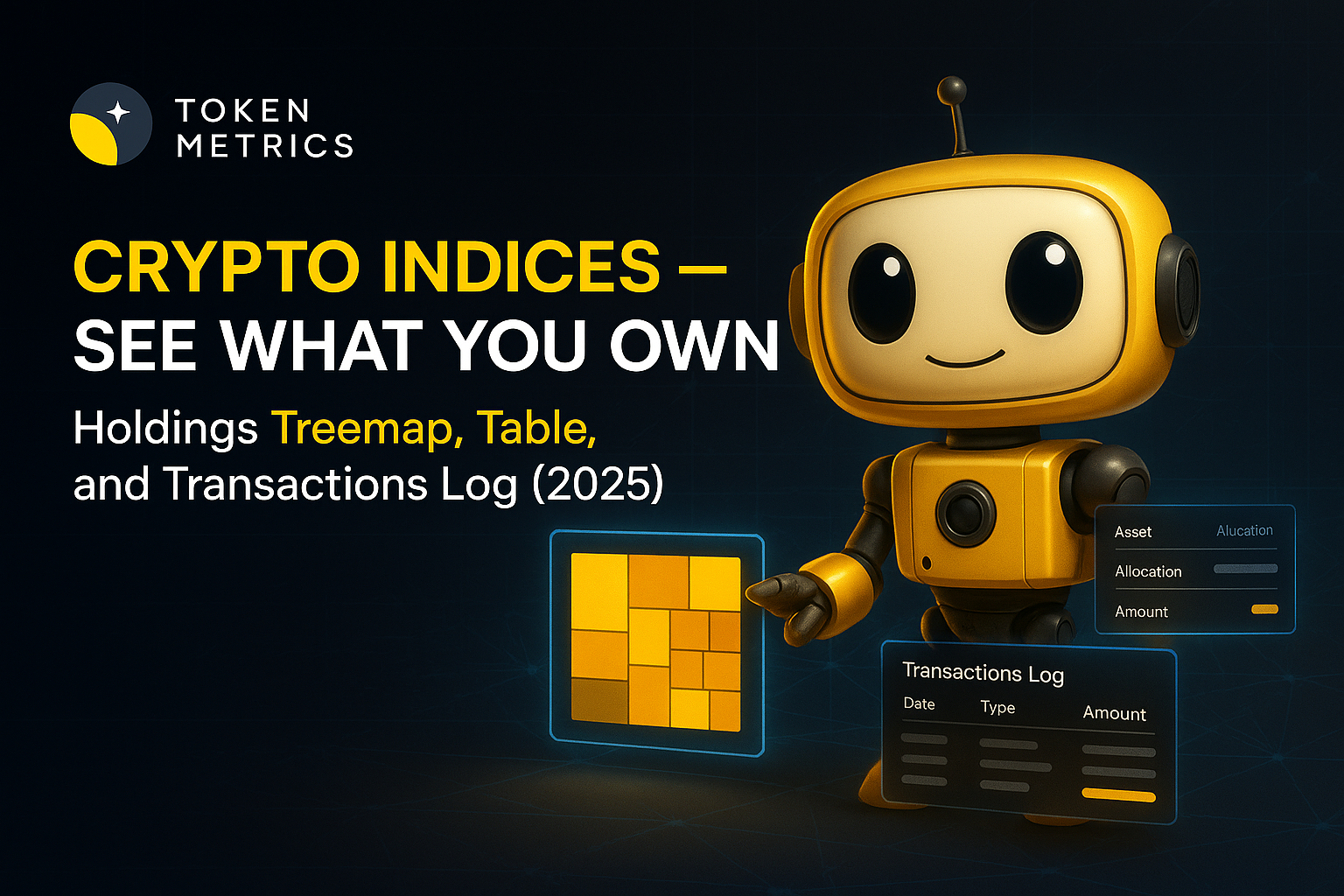
Crypto Indices - See What You Own: Holdings Treemap, Table, and Transactions Log (2025)

Token Metrics Team
5

If you’ve ever bought a “basket” of coins and then wondered what you actually hold, you’re not alone. The Token Metrics Global 100 solves that by pairing a rules-based strategy with radical visibility: an interactive holdings treemap, sortable table, and a real-time transactions log—so you can see what you own at all times. This transparency sits on top of a simple idea: a top-100 crypto index when markets are bullish and stablecoins when they’re not, with weekly rebalancing and one-click buy at launch. The result is clarity for hands-off allocators and discipline for active traders—without spreadsheets or manual rebalances.

→ Join the waitlist to be first to trade TM Global 100.

Why Transparency Matters in October 2025

Today’s crypto investor expects more than a chart and a headline weight. You want to audit your index: which coins, what size, and what changed after each rebalance. That’s exactly why we ship three visibility layers on day one: Gauge → Treemap → Transactions Log—plus a classic holdings table for power users.

In practical terms, a holdings treemap shows proportional weights at a glance, a table lets you sort and export details, and a transactions log chronicles every add/trim/exit during rebalances and regime switches. Together, they answer the search intent behind “crypto index holdings” and “weekly rebalancing” with an immediately scannable source of truth.

How the TM Global 100 Index Works (Plain English)

  • Regime switching: When our market signal is bullish, the index holds the top 100 assets by market cap. When bearish, it exits to stablecoins and waits for a re-entry signal.
  • Weekly rebalancing: We adjust constituents and weights weekly to reflect updated rankings—so the index stays aligned with the market.
  • Transparency: You’ll see a Strategy modal (rules at a glance), a market signal gauge, an interactive Holdings treemap & table, and a Transactions log that records rebalances and regime shifts.

What you’ll see on launch: A price tile, “tokens: 100,” “rebalances weekly,” and a Buy Index flow that can complete in about 90 seconds, end-to-end.

See the strategy and rules. (TM Global 100 strategy)

Benefits at a Glance (Why This Beats DIY)

  • Time saved: Skip ranking lists, manual screeners, and cross-exchange rebalances.
  • Lower execution drag: A single indexed flow helps reduce the slippage and fees you’d pay hopping between many tokens.
  • No missed cycles: Weekly rebalances help capture changes in the top-100 while the regime switch avoids guesswork when markets turn.
  • Full visibility: Treemap + table + transactions let you see exactly what changed and why—no black boxes.
  • Rules over vibes: A consistent methodology can reduce emotional decisions during drawdowns and market euphoria.

Step-by-Step: How to Get Early Access (Waitlist)

  1. Open the Indices hub and select TM Global 100. (Token Metrics Indices hub)
  2. Join the waitlist with your email to get launch-day access and updates.
  3. (Optional) Connect your wallet so you’re ready to buy at launch.
  4. On launch: Open TM Global 100, review the Gauge → Treemap → Transactions, and tap Buy Index.
  5. Confirm the buy: You’ll see estimates for fees/slippage and the current token mix.
  6. Track your position: Your holdings and every rebalance appear in My Indices and the Transactions Log.

→ Join the waitlist to be first to trade TM Global 100.

Decision Guide: Is This Right for You?

  • Hands-Off Allocator: Want “own the market” exposure and automatic upkeep. Consider if you dislike micromanaging.
  • Active Trader: Want a disciplined core that moves to stablecoins in bears while you take satellite bets elsewhere.
  • TM Member/Prospect: Already trust Token Metrics research and want rules-based execution with full visibility.
  • Starter Portfolio Builder: Prefer a single decision over 20+ token buys and periodic DIY reweights.
  • Transparency Seeker: You won’t tolerate black-box products; you want a real transactions log and holdings you can audit.
  • Tax-Aware Rebalancer: You’d rather not run frequent piecemeal trades yourself.
  • Mobile-First User: Want a fast, on-page buy flow instead of tab-hopping across venues.
  • Analytics Fan: Enjoy comparing weights and changes in the treemap after each weekly rebalance.

FAQs

What is a crypto index with a holdings treemap?

It’s a rules-based basket of cryptocurrencies where you can visually inspect weights via an interactive treemap, alongside a sortable table and a transactions log that records every rebalance and regime switch.

It’s a rules-based basket of cryptocurrencies where you can visually inspect weights via an interactive treemap, alongside a sortable table and a transactions log that records every rebalance and regime switch.

Weekly. Rebalances update constituents/weights to reflect current top-100 rankings; separate regime switches can also move the portfolio between tokens and stablecoins when the market signal changes.

What triggers the move to stablecoins?

A proprietary market signal. When bearish, the index exits tokens to stablecoins; when bullish resumes, it re-enters the top-100 basket.

Can I fund with USDC or fiat?

At launch, funding/settlement options surface based on your connected wallet and supported chains. USDC payout is supported on selling; fiat on-ramps may be added later.

Is the wallet custodial?

No. The embedded wallet is self-custodial—you control your funds.

How are fees shown?

Before you confirm, the buy flow surfaces estimated gas, platform fee, max slippage, and min expected value.

How do I join the waitlist?

Open the Indices hub, navigate to TM Global 100, and add your email. You’ll be notified on launch with a direct link to buy.

Security, Risk & Transparency

  • Self-custody: Embedded smart wallet with user control.
  • Operational clarity: Weekly rebalances; regime logic documented in the Strategy modal.
  • Fee & slippage preview: All surfaced before you confirm a trade.
  • Data integrity: Holdings treemap + table and transactions log reflect each executed change.

Regional notes: Availability and on-ramps can vary by jurisdiction. Crypto is volatile and can lose value. Past performance is not indicative of future results. This article is for research/education, not financial advice.

Conclusion

Token Metrics Global 100 is built for investors who want broad market exposure and the receipts to prove what they hold—treemap, table, and transactions on every rebalance. If you value rules, discipline, and transparency, join the waitlist and be ready on launch day.

Click here to get early access to Token Metrics indices.

Research

Crypto Index vs DIY Basket: Time, Slippage, and Missed Rebalances (2025)

Token Metrics Team
5

Building your own crypto basket sounds simple—until you’re juggling 10–50 tickers, spreadsheets, rebalance rules, spreads across chains, and the constant fear of missing regime turns. A crypto index removes that manual grind: TM Global 100 holds the top 100 assets when the market is bullish and moves fully to stablecoins when it’s not, with weekly rebalancing and full transparency of holdings and transactions. One click to buy, zero maintenance to keep up.

→ Join the waitlist to be first to trade TM Global 100.

Why Indices Matters in October 2025

In 2025, time and execution quality are alpha. Manually maintaining a DIY basket multiplies complexity: fragmented liquidity, multiple wallets, chain fees, and coordination across exchanges—all while markets move. A rules-based index compresses that overhead into a single, auditable product with pre-declared logic and scheduled upkeep.

Definition (snippet-ready): A crypto index is a rules-based basket of digital assets that rebalances on a set schedule and/or when market conditions change, so you don’t have to micromanage individual coins.

Traders searching “DIY crypto basket,” “regime switching,” or “weekly rebalancing” usually want one thing: broad exposure without the constant maintenance and the regret of missed rebalances. That’s the exact problem Token Metrics Global 100 addresses with weekly updates and regime switching to stablecoins when signals turn bearish.

How the TM Global 100 Index Works (Plain English)

  • Regime switching: When signals are bullish, the index holds the top 100 by market cap; when bearish, it exits fully to stablecoins to wait for re-entry.
  • Weekly rebalancing: Aligns weights and constituents with updated rankings; regime changes can also trigger full portfolio shifts.
  • Transparency: Strategy modal explains selection & rebalancing rules; Holdings show a treemap/table; Index Transactions log all changes.

What you’ll see on launch: Price tile, signal gauge, tokens=100, “rebalances weekly,” contract address, and a Buy Index button with a ~90-second live demo flow showcased in launch content.

→ See the strategy and rules. (TM Global 100 strategy)

Benefits at a Glance (Why This Beats DIY)

  • Time saved: Replace multi-exchange shopping, wallet hops, and manual allocations with one click.
  • Fewer missed rebalances: Weekly cadence + visible transactions log reduce the cost of “I’ll do it tomorrow.”
  • Slippage discipline: Centralized execution with declared slippage/fee previews helps contain surprises vs piecemeal orders.
  • Regime switching: Codified “risk-off” behavior into stablecoins during bears, so you don’t have to white-knuckle exits. (No performance promises.)
  • Transparency: Strategy modal → Holdings treemap/table → Transactions log—see exactly what you hold and when it changed.

Proof cues (What you’ll see): Gauge (market signal) → Treemap (allocations) → Transactions Log → ~90-second Buy flow.

Step-by-Step: How to Get Early Access (Waitlist)

  1. Open the Token Metrics Indices hub and select TM Global 100.
  2. Add your email to the waitlist so you’re first in line at launch.
  3. (Optional) Connect your wallet—our embedded, self-custodial smart wallet supports major chains.
  4. On launch day, you’ll see the price tile, signal gauge, and “Buy Index.”
  5. Review the strategy, expected fees/slippage, and holdings; confirm to purchase.
  6. Track your position in My Indices; rebalances and any regime switches will appear in the transactions log.
→ Join the waitlist to be first to trade TM Global 100.

Decision Guide: Is This Right for You?

  • Hands-Off Allocator: Want broad exposure without micromanaging? Consider a rules-based core that updates weekly.
  • Active Trader: Keep your bets, but use an index core that may step to stablecoins during bears.
  • TM Member/Prospect: Prefer transparent holdings, logs, and a simple buy/sell flow.
  • Time-Strapped Professional: Reduce ops work (wallets, slippage math, spreadsheets) to nearly zero.
  • New to Crypto: Learn with training wheels—strategy modal, tooltips, and clear risk language.
  • DIY Purist: If you enjoy tinkering with weights daily, DIY could still fit—just know weekly index upkeep is handled for you.

FAQs

What is a crypto index?

A rules-based basket of assets with scheduled rebalancing and, in TM Global 100’s case, a regime switch between top-100 exposure and stablecoins.

How often does the index rebalance?

Weekly, with additional full-portfolio switches when the market regime changes.

What triggers the move to stablecoins?

A proprietary market signal. When bearish, the index exits tokens into stablecoins and waits for a bullish re-entry.

Can I fund with USDC or fiat?

Funding options surface based on your connected wallet and supported chains; USDC payouts are supported on selling. (Stablecoin entry may come later.)

Is the wallet custodial?

No. The embedded wallet is self-custodial; you control funds.

How are fees shown?

The Buy flow shows estimated gas, platform fee, max slippage, and minimum expected value before you confirm.

How do I join the waitlist?

Visit the Indices hub → TM Global 100 → enter your email to get notified and first access at launch.

Security, Risk & Transparency

  • Self-custody: You transact via an embedded, self-custodial smart wallet.
  • Visibility: Strategy modal, Holdings treemap/table, and Transactions log make changes auditable.
  • Fee & slippage preview: See estimated gas, platform fee, max slippage, and minimum expected value before confirming.
  • Regime logic limits: Signals can be wrong; markets can gap; weekly rebalances can’t eliminate risk.
  • Region/chain notes: Supported chains surface in-product; availability and options may vary.

Crypto is volatile and can lose value. Past performance is not indicative of future results. This article is for research/education, not financial advice.

Conclusion

If you’ve ever missed a rebalance or watched slippage eat into returns, Token Metrics Global 100 can help standardize the work: rules-based logic, weekly updates, and a visible log of everything that changed. Join the waitlist to be first to trade, and make a disciplined index your core.

→ Join the waitlist to be first to trade TM Global 100.
Research

Regime Switching in Crypto: Participate in Upside, Sit Out Drawdowns (2025)

Token Metrics Team
5

Timing crypto cycles is inherently challenging. Volatility in the crypto markets can lead to sharp swings—either capturing gains during bull runs or avoiding deep drawdowns during unfavorable trends. A regime switching crypto index offers a systematic way to adapt to changing market conditions, using rules-based allocations that switch between risk-on assets and stablecoins accordingly. Token Metrics offers tools to help analyze these strategies with transparency and real-time insights.

Why Indices Matter in October 2025

Crypto markets tend to operate in distinct regimes—periods of momentum followed by corrections that can reverse gains quickly. Investors and analysts seeking to implement regime switching or weekly rebalancing frameworks value simplicity and clarity. These approaches help in maintaining discipline, managing risks, and capturing market trends effectively.

Definition of Regime Switching in Crypto

Regime switching in crypto refers to a rules-based investment method that adjusts portfolio exposure based on prevailing market conditions. Typically, this involves rotating into a diversified basket of tokens in bullish phases and shifting into stablecoins during bearish trends, thus managing risk while seeking to ride upward trends.

Why Now: The Rationale for Regime Switching

  • Cycle Asymmetry: Capturing upward trends while limiting downside drawdowns can influence long-term outcomes positively.
  • Operational Efficiency: Automated, rules-based rebalancing reduces errors and slippage tied to manual adjustments across multiple tokens or exchanges.
  • Transparency: Real-time insight into holdings, rebalancing rationale, and transaction history fosters trust and clarity.

How the TM Global 100 Index Works (Plain English)

This index employs regime switching principles: during bullish periods, it holds the top 100 crypto assets by market cap; during bearish times, it exits into stablecoins and waits for buy signals. The index performs weekly rebalancing based on updated rankings, liquidity, and supply metrics. Transparency is maintained through clear strategy rules, gauges, Treemap views, and detailed transaction logs.

Benefits at a Glance (Why This Beats DIY)

  • Rules, not vibes: Automated logic minimizes emotional decision-making.
  • Fewer operational mistakes: Single, streamlined flows replace manual multi-step trades.
  • Discipline in switching: Full rotation into stablecoins at bearish signals reduces hesitation and second-guessing.
  • Cost visibility: Estimated gas, platform fees, and expected minimum value are shown upfront.
  • Full transparency: Holdings treemaps and transaction histories keep you informed.
  • Consistent cadence: Weekly updates ensure alignment with market trends.

Step-by-Step: How to Get Early Access (Waitlist)

  1. Visit the Token Metrics Indices hub.
  2. Find the TM Global 100 index card and tap “Join Waitlist”.
  3. Add your email to receive launch notifications.
  4. Optionally, connect your wallet in advance to streamline onboarding on launch day.
  5. On launch day, you will receive an email when the index opens for trading. The interface features gauges, strategy details, and holdings for instant review.
  6. Complete the purchase of the index in about 90 seconds by confirming your wallet, reviewing potential fees, and confirming the buy.
  7. Track your position within “My Indices” once active.

Join the waitlist to be first to trade TM Global 100.

Decision Guide: Is This Right for You?

  • Hands-Off Allocator: Ideal for those seeking broad market exposure with minimal management.
  • Active Trader: Useful as a core strategy with rules-based rebalancing, supporting satellite bets.
  • Token Metrics Member/Prospect: For users who value transparent, research-backed rules over discretionary choices.
  • Crypto Newcomer: Simplifies entry with one-button buy, weekly updates, and clear rules.
  • Time-Constrained Pro: Reduces operational overhead while maintaining clarity and predictability.
  • Skeptical of Forecasts: Prefers systematic processes over relying on predictions or forecasts.

FAQs

What is a regime switching crypto index?

A rules-based portfolio that allocates to a diversified token basket during bullish phases and switches to stablecoins during bearish conditions, based on predefined signals. Token Metrics implements this with a top-100 universe and full stablecoin rotation in downturns.

How often does the index rebalance?

It rebalances weekly to reflect changes in rankings and liquidity. Significant regime changes can occur outside the schedule when market signals trigger a switch.

What triggers the move to stablecoins?

A proprietary market signal prompts the index to exit token positions and move into stablecoins during bearish phases, waiting for a bullish signal to re-enter.

Can I fund with USDC or fiat?

Funding occurs via an embedded, self-custodial wallet supporting major chains. USDC payouts are supported when selling. Funding options depend on your wallet and region.

Is the wallet custodial?

No. It is self-custodial, giving you control of keys and funds.

How are fees shown?

Before confirming a trade, estimated gas, platform fee, slippage, and expected minimum value are displayed.

How do I join the waitlist?

Visit the Token Metrics Indices hub, open TM Global 100, and tap “Join Waitlist”. You will be notified at launch.

Security, Risk & Transparency

  • Self-custody is prioritized: You control your keys and funds.
  • Transparency is built into the process: Fees, holdings, and transaction logs are visible before and after trades.
  • Market signals are based on rules; sudden gaps and spreads can impact outcomes.
  • Supported regions and asset options may vary due to geography.

Crypto markets are volatile and can fluctuate rapidly. Past performance does not predict future results. This article aims to educate and inform, not provide financial advice.

Conclusion

For a disciplined, transparent approach to broad crypto exposure that adapts to market regimes, the TM Global 100 index offers a rules-based platform with weekly rebalancing and full visibility. It enables investors to focus on allocation without the stress of micromanagement.

Join the waitlist to be first to trade TM Global 100.

Choose from Platinum, Gold, and Silver packages
Reach with 25–30% open rates and 0.5–1% CTR
Craft your own custom ad—from banners to tailored copy
Perfect for Crypto Exchanges, SaaS Tools, DeFi, and AI Products