
Research

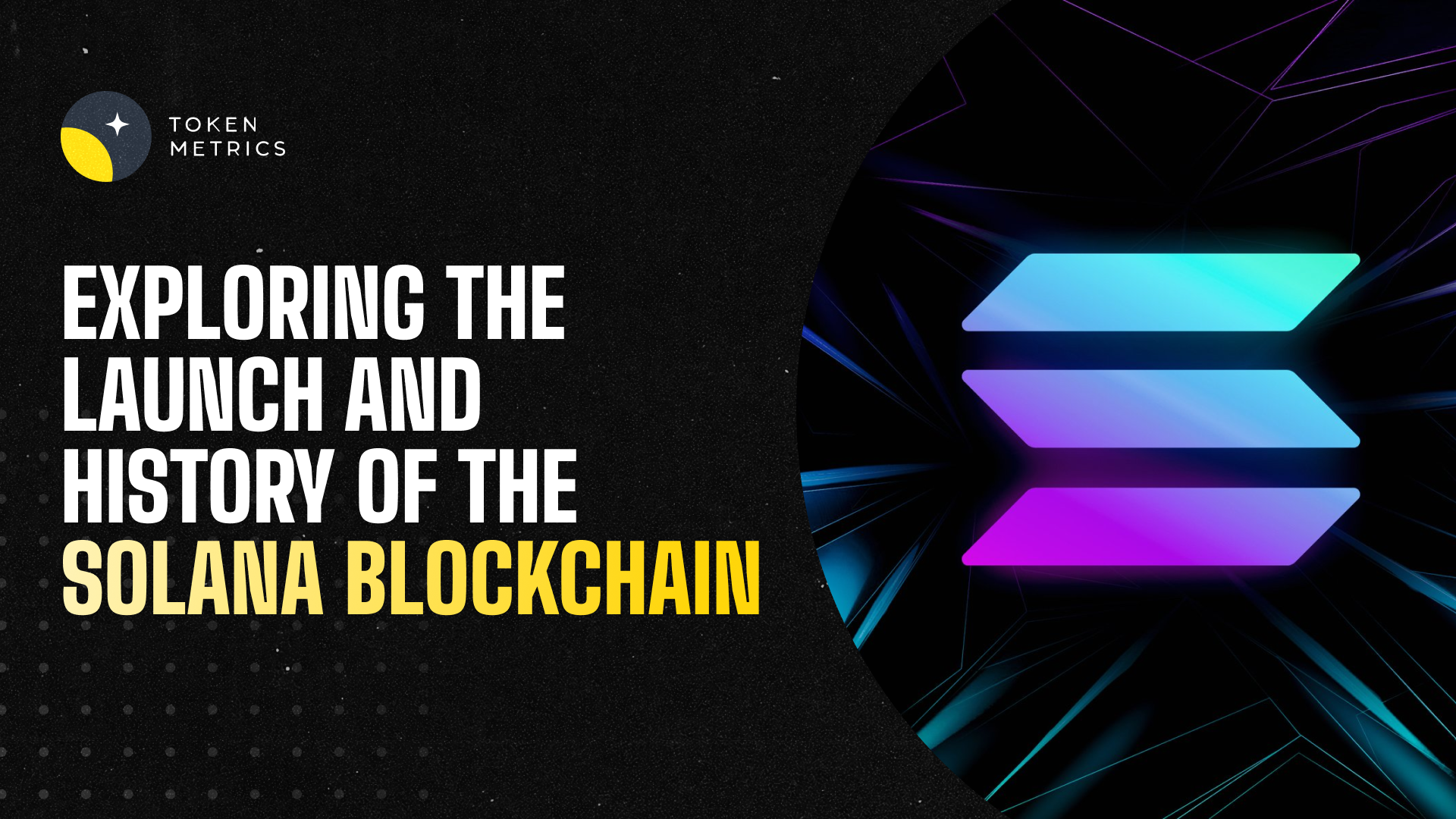
Exploring the Launch and History of the Solana Blockchain

Discover the launch date and development history of the Solana blockchain, including key technologies and tools for unbiased analysis like Token Metrics.
Token Metrics Team
3
MIN

Introduction

The blockchain ecosystem has witnessed many innovative platforms since the inception of Bitcoin. Among them, Solana has emerged as a significant player known for its high-performance capabilities. Understanding when Solana was launched provides valuable insight into its development timeline and technological evolution. This article explores the launch date and historical context of the Solana blockchain, its technological foundations, and resources for further research, including analytical tools such as Token Metrics.

Overview of Solana Blockchain

Solana is a high-throughput blockchain platform designed to support decentralized applications and crypto-currencies with a strong emphasis on scalability and low transaction costs. Its architecture leverages unique consensus mechanisms and innovations in cryptographic technology that distinguish it from other platforms. These features aim to solve common blockchain challenges such as network congestion and high fees.

When Was Solana Launched?

Solana's development began several years before its mainnet launch, with foundational research conducted by its creator, Anatoly Yakovenko, starting in 2017. The project's codebase and whitepapers were gradually developed over the next couple of years. The key milestone of Solana’s live network, or mainnet beta, occurred on March 16, 2020.

This mainnet beta launch marked the transition from development and internal testing stages to a public network where users could transact, stake tokens, and deploy applications. However, it is important to note that the label “beta” indicated that the network was still under active development and subject to updates and improvements.

Technological Framework at Launch

At the time of its launch, Solana introduced several novel technological elements, including:

  • Proof of History (PoH): A timestamping mechanism that provides a cryptographically verifiable order of events to improve network throughput.
  • Tower BFT: A consensus algorithm optimized for the PoH clock, enabling faster agreement between validators.
  • Gulf Stream: A protocol enabling transaction caching and forwarding to reduce confirmation times.
  • Sealevel: A parallel smart contract runtime designed to efficiently process multiple transactions simultaneously.

The combination of these technologies aimed to allow Solana to process more transactions per second than many existing blockchains at the time.

Development Timeline Post-Launch

Following the March 2020 mainnet beta launch, Solana's development continued rapidly. The development team released multiple updates enhancing network stability, introducing new features, and scaling capacity. Key phases included the transition from beta to a more stable production environment and expanding ecosystem support through developer tools and partnerships.

Community growth, validator participation, and decentralized application deployment increased steadily, underscoring the network’s rising prominence in the blockchain space.

How to Research Solana Effectively

For those interested in a deeper understanding of Solana’s origins and ongoing development, the following approaches are useful:

  1. Review Official Documentation and Whitepapers: These provide comprehensive details on the technology and development philosophy.
  2. Follow Development Repositories: Platforms like GitHub host the Solana codebase, where updates and contributions are tracked publicly.
  3. Monitor News and Community Channels: Forums, social media, and developer communities offer real-time discussion and announcements.
  4. Utilize Analytical Tools: Data-driven platforms, such as Token Metrics, leverage AI to provide insights into blockchain projects by analyzing various fundamental and technical indicators.

The Role of AI and Token Metrics in Blockchain Research

Artificial intelligence has enhanced the capacity to analyze complex blockchain data and market trends. Tools like Token Metrics apply machine learning algorithms to process large datasets, offering neutral ratings and analytics that can support educational research into platforms like Solana.

While such tools do not provide investment advice, they offer frameworks to understand project fundamentals, technological developments, and market sentiment — all essential elements for comprehensive analysis.

Educational Disclaimer

This article is intended for educational purposes only. It does not provide financial, investment, or trading advice. Readers should conduct thorough research and consider multiple sources before making decisions related to cryptocurrencies or blockchain technologies.

Build Smarter Crypto Apps &
AI Agents in Minutes, Not Months
Real-time prices, trading signals, and on-chain insights all from one powerful API.
Grab a Free API Key
Token Metrics Team
Token Metrics Team

Recent Posts

Research

Crypto API to Google Sheets in 5 Minutes: How to Use Token Metrics API with Apps Script

Token Metrics Team
6 min
MIN

If you're a trader, data analyst, or crypto enthusiast, chances are you've wanted to pull live crypto data directly into Google Sheets. Whether you're tracking prices, building custom dashboards, or backtesting strategies, having real-time data at your fingertips can give you an edge.

In this guide, we'll show you how to integrate the Token Metrics API — a powerful crypto API with free access to AI-powered signals — directly into Google Sheets in under 5 minutes using Google Apps Script.

📌 Why Use Google Sheets for Crypto Data?

Google Sheets is a flexible, cloud-based spreadsheet that:

  • Requires no coding to visualize data
  • Can be shared and updated in real time
  • Offers formulas, charts, and conditional formatting
  • Supports live API connections with Apps Script

When combined with the Token Metrics API, it becomes a powerful dashboard that updates live with Trader Grades, Bull/Bear Signals, historical OHLCV data, and more.

🚀 What Is Token Metrics API?

The Token Metrics API provides real-time and historical crypto data powered by AI. It includes:

  • Trader Grade: A score from 0 to 100 showing bullish/bearish potential
  • Bull/Bear Signal: A binary signal showing market direction
  • OHLCV: Open-High-Low-Close-Volume price history
  • Token Metadata: Symbol, name, category, market cap, and more

The best part? The free Basic Plan includes:

  • 5,000 API calls/month
  • Access to core endpoints
  • Hourly data refresh
  • No credit card required

👉 Sign up for free here

🛠️ What You’ll Need

  • A free Token Metrics API key
  • A Google account
  • Basic familiarity with Google Sheets

⚙️ How to Connect Token Metrics API to Google Sheets

Here’s how to get live AI-powered crypto data into Sheets using Google Apps Script.

🔑 Step 1: Generate Your API Key

  1. Visit: https://app.tokenmetrics.com/en/api
  2. Click “Generate API Key”
  3. Copy it — you’ll use this in the script

📄 Step 2: Create a New Google Sheet

  1. Go to Google Sheets
  2. Create a new spreadsheet
  3. Click Extensions > Apps Script

💻 Step 3: Paste This Apps Script

const TOKEN_METRICS_API_KEY = 'YOUR_API_KEY_HERE';

async function getTraderGrade(symbol) {

  const url = `https://api.tokenmetrics.com/v2/trader-grades?symbol=${symbol.toUpperCase()}`;

  const options = {

    method: 'GET',

    contentType: 'application/json',

    headers: {

      'accept': 'application/json',

      'x-api-key': TOKEN_METRICS_API_KEY,

    },

    muteHttpExceptions: true

  };


  const response = UrlFetchApp.fetch(url, options);

  const data = JSON.parse(response.getContentText() || "{}")


  if (data.success && data.data.length) {

    const coin = data.data[0];

    return [

      coin.TOKEN_NAME,

      coin.TOKEN_SYMBOL,

      coin.TA_GRADE,

      coin.DATE

    ];

  } else {

    return ['No data', '-', '-', '-'];

  }

}

async function getSheetData() {

  const sheet = SpreadsheetApp.getActiveSpreadsheet().getActiveSheet();

  const symbols = sheet.getRange('A2:A').getValues().flat().filter(Boolean);

  const results = [];

  results.push(['Name', 'Symbol', 'Trader Grade', 'Date']);

  for (const symbol of symbols) {

    if (symbol) {

      const row = await getTraderGrade(symbol);

      results.push(row);

    }

  }

  sheet.getRange(2, 2, results.length, results[0].length).setValues(results);

}

🧪 Step 4: Run the Script

  1. Replace 'YOUR_API_KEY_HERE' with your real API key.
  2. Save the project as TokenMetricsCryptoAPI.
  3. In your sheet, enter a list of symbols (e.g., BTC, ETH, SOL) in Column A.
  4. Go to the script editor and run getSheetData() from the dropdown menu.

Note: The first time, Google will ask for permission to access the script.

✅ Step 5: View Your Live Data

After the script runs, you’ll see:

  • Coin name and symbol
  • Trader Grade (0–100)
  • Timestamp

You can now:

  • Sort by Trader Grade
  • Add charts and pivot tables
  • Schedule automatic updates with triggers (e.g., every hour)

🧠 Why Token Metrics API Is Ideal for Google Sheets Users

Unlike basic price APIs, Token Metrics offers AI-driven metrics that help you:

  • Anticipate price action before it happens
  • Build signal-based dashboards or alerts
  • Validate strategies against historical signals
  • Keep your data fresh with hourly updates

And all of this starts for free.

🏗️ Next Steps: Expand Your Sheet

Here’s what else you can build:

  • A portfolio tracker that pulls your top coins’ grades
  • A sentiment dashboard using historical OHLCV
  • A custom screener that filters coins by Trader Grade > 80
  • A Telegram alert system triggered by Sheets + Apps Script + Webhooks

You can also upgrade to the Advanced Plan to unlock 21 endpoints including:

  • Investor Grades
  • Smart Indices
  • Sentiment Metrics
  • Quantitative AI reports
  • 60x API speed

🔐 Security Tip

Never share your API key in a public Google Sheet. Use script-level access and keep the sheet private unless required.

🧩 How-To Schema Markup (for SEO)

{

  "@context": "https://schema.org",

  "@type": "HowTo",

  "name": "Crypto API to Google Sheets in 5 Minutes",

  "description": "Learn how to connect the Token Metrics crypto API to Google Sheets using Google Apps Script and get real-time AI-powered signals and prices.",

  "totalTime": "PT5M",

  "supply": [

    {

      "@type": "HowToSupply",

      "name": "Google Sheets"

    },

    {

      "@type": "HowToSupply",

      "name": "Token Metrics API Key"

    }

  ],

  "tool": [

    {

      "@type": "HowToTool",

      "name": "Google Apps Script"

    }

  ],

  "step": [

    {

      "@type": "HowToStep",

      "name": "Get Your API Key",

      "text": "Sign up at Token Metrics and generate your API key from the API dashboard."

    },

    {

      "@type": "HowToStep",

      "name": "Create a New Google Sheet",

      "text": "Open a new sheet and list crypto symbols in column A."

    },

    {

      "@type": "HowToStep",

      "name": "Add Apps Script",

      "text": "Go to Extensions > Apps Script and paste the provided code, replacing your API key."

    },

    {

      "@type": "HowToStep",

      "name": "Run the Script",

      "text": "Execute the getSheetData function to pull data into the sheet."

    }

  ]

}

✍️ Final Thoughts

If you're serious about crypto trading or app development, integrating live market signals into your workflow can be a game-changer. With the Token Metrics API, you can get institutional-grade AI signals — right inside Google Sheets.

This setup is simple, fast, and completely free to start. Try it today and unlock a smarter way to trade and build in crypto.

👉 Get Your API Key & Start for Free

Announcements

🚀Put Your $TMAI to Work: Daily Rewards, No Locks, Up To 200% APR.

Token Metrics Team
5 min
MIN

Liquidity farming just got a major upgrade. Token Metrics AI ($TMAI) has launched its first liquidity incentive campaign on Merk — and it’s designed for yield hunters looking to earn fast, with no lockups, no gimmicks, and real rewards from Day 1.

📅 Campaign Details

  • Duration: June 5 – June 19, 2025
  • Rewards Begin: 17:00 UTC / 1:00 PM ET
  • Total TMAI Committed: 38 million+ $TMAI
  • No Lockups: Enter or exit at any time
  • APR Potential: Up to 200%

For two weeks, liquidity providers can earn high daily rewards across three different pools. All rewards are paid in $TMAI and distributed continuously — block by block — through the Merkl platform.

💧 Where to Earn – The Pools (as of June 5, 17:00 UTC)

Pool                                                    Starting APR %               Total Rewards (14 days)                Current TVL

Aerodrome WETH–TMAI        150%                                16.79M TMAI (~$11,000)                   $86,400

Uniswap v3 USDC–TMAI        200%                                14.92M TMAI (~$9,800)                    $19,900

Balancer 95/5 WETH–TMAI    200%                                5.60M TMAI (~$3,700)                       $9,500

These pools are live and actively paying rewards. APR rates aren’t displayed on Merkl until the first 24 hours of data are available — but early providers will already be earning.

🧠 Why This Campaign Stands Out

1. Turbo Rewards for a Short Time

This isn’t a slow-drip farm. The TMAI Merkl campaign is designed to reward action-takers. For the first few days, yields are especially high — thanks to low TVL and full daily reward distribution.

2. No Lockups or Waiting Periods

You can provide liquidity and withdraw it anytime — even the same day. There are no lockups, no vesting, and no delayed payout mechanics. All rewards accrue automatically and are claimable through Merkl.

3. Choose Your Risk Profile

You get to pick your exposure.

  • Want ETH upside? Stake in Aerodrome or Balancer.
  • Prefer stablecoin stability? Go with the Uniswap v3 USDC–TMAI pool.

4. Influence the Future of TMAI Yield Farming

This campaign isn’t just about yield — it’s a test. If enough users participate and volume grows, the Token Metrics Treasury will consider extending liquidity rewards into Q3 and beyond. That means more TMAI emissions, longer timelines, and consistent passive income opportunities for LPs.

5. Built for Transparency and Speed

Rewards are distributed via Merkl by Angle Labs, a transparent, gas-efficient platform for programmable liquidity mining. You can see the exact rewards, TVL, wallet counts, and pool analytics at any time.

🔧 How to Get Started

Getting started is simple. You only need a crypto wallet, some $TMAI, and a matching asset (either WETH or USDC, depending on the pool).

Step-by-step:

  1. Pick a pool:
    Choose from Aerodrome, Uniswap v3, or Balancer depending on your risk appetite and asset preference.

  2. Provide liquidity:
    Head to the Merkl link for your pool, deposit both assets, and your position is live immediately.

  3. Track your earnings:
    Watch TMAI accumulate daily in your Merkl dashboard. You can claim rewards at any time.

  4. Withdraw when you want:
    Since there are no lockups, you can remove your liquidity whenever you choose — rewards stop the moment liquidity is pulled.

🎯 Final Thoughts

This is a rare opportunity to earn serious rewards in a short amount of time. Whether you’re new to liquidity mining or a DeFi veteran, the TMAI Merkl campaign is built for speed, flexibility, and transparency.

You’re still early. The best yields happen in the first days, before TVL rises and APR stabilizes. Dive in now and maximize your returns while the turbo phase is still on.

👉 Join the Pools and Start Earning

Announcements

Token Metrics API Joins RapidAPI: The Fastest Way to Add AI-Grade Crypto Data to Your App

Token Metrics Team
5 min
MIN

The hunt for a dependable Crypto API normally ends in a graveyard of half-maintained GitHub repos, flaky RPC endpoints, and expensive enterprise feeds that hide the true cost behind a sales call. Developers waste days wiring those sources together, only to learn that one fails during a market spike or that data schemas never quite align. The result? Bots mis-fire, dashboards drift out of sync, and growth stalls while engineers chase yet another “price feed.”

That headache stops today. Token Metrics API, the same engine that powers more than 70 000 users on the Token Metrics analytics platform, is now live on RapidAPI—the largest marketplace of public APIs with more than four million developers. One search, one click, and you get an AI-grade Crypto API with institutional reliability and a 99.99 % uptime SLA.

Why RapidAPI + Token Metrics API Matters

  • Native developer workflow – No separate billing portal, OAuth flow, or SDK hunt. Click “Subscribe,” pick the Free plan, and RapidAPI instantly generates a key.

  • Single playground – Run test calls in-browser and copy snippets in cURL, Python, Node, Go, or Rust without leaving the listing.

  • Auto-scale billing – When usage grows, RapidAPI handles metering and invoices. You focus on product, not procurement.

What Makes the Token Metrics Crypto API Different?

  1. Twenty-one production endpoints

    Live & historical prices, hourly and daily OHLCV, proprietary Trader & Investor Grades, on-chain and social sentiment, AI-curated sector indices, plus deep-dive AI reports that summarise fundamentals, code health, and tokenomics.

  2. AI signals that win

    Over the last 24 months, more than 70 % of our bull/bear signals outperformed simple buy-and-hold. The API delivers that same alpha in flat JSON.

  3. Institutional reliability

    99.99 % uptime, public status page, and automatic caching for hot endpoints keep latency low even on volatile days.

Three-Step Quick Start

  1. Search “Token Metrics API” on RapidAPI and click Subscribe.
  2. Select the Free plan (5 000 calls / month, 20 request / min) and copy your key.
  3. Test:

bash

CopyEdit

curl -H "X-RapidAPI-Key: YOUR_KEY" \

     -H "X-RapidAPI-Host: tokenmetrics.p.rapidapi.com" \

     https://tokenmetrics.p.rapidapi.com/v2/trader-grades?symbol=BTC

The response returns Bitcoin’s live Trader Grade (0-100) and bull/bear flag. Swap BTC for any asset or explore /indices, /sentiment, and /ai-reports.

Real-World Use Cases

Use case

How developers apply the Token Metrics API

Automated trading bots

Rotate allocations when Trader Grade > 85 or sentiment flips bear.

Portfolio dashboards

Pull index weights, grades, and live prices in a single call for instant UI load.

Research terminals

Inject AI Reports into Notion/Airtable for analyst workflows.

No-code apps

Combine Zapier webhooks with RapidAPI to display live sentiment without code.

Early adopters report 30 % faster build times because they no longer reconcile five data feeds.

Pricing That Scales

  • Free – 5 000 calls, 30-day history.
  • Advanced – 20 000 calls, 3-month history.
  • Premium – 100 000 calls, 3-year history.
  • VIP – 500 000 calls, unlimited history.

Overages start at $0.005 per call.

Ready to Build?

• RapidAPI listing: https://rapidapi.com/tm-ai/api/token-metrics 

https://rapidapi.com/token-metrics-token-metrics-default/api/token-metrics-api1
• Developer docs: https://developers.tokenmetrics.com
• Support Slack: https://join.slack.com/t/tokenmetrics-devs/shared_invite/…

Spin up your key, ship your bot, and let us know what you create—top projects earn API credits and a Twitter shout-out.

Choose from Platinum, Gold, and Silver packages
Reach with 25–30% open rates and 0.5–1% CTR
Craft your own custom ad—from banners to tailored copy
Perfect for Crypto Exchanges, SaaS Tools, DeFi, and AI Products